
Most of us are pretty good at collecting data.
Deleting it? Not so much.
Old customer records, former employee information, outdated spreadsheets, abandoned accounts, and files from projects that ended years ago can quietly pile up across company systems.
It is tempting to keep everything “just in case.” Unfortunately, hoarding data can also create serious cybersecurity problems. In fact, one recent ruling by the FTC shows exactly why collecting data become a serious cyber-compliance problem.
Case Study: Illuminate Education
It began with a major data breach involving the education technology provider’s cloud-based databases. An attacker gained access to information belonging to 10.1M students, including dates of birth, contact information, student records, and some health-related information.
In June 2026, the FTC finalized an order against Illuminate Education following allegations that the company failed to adequately protect its student information. The FTC alleged that the company had also been warned about security vulnerabilities before the breach.
There is another part of the case that deserves just as much attention, though: How much data was being kept in the first place?
As part of the order, Illuminate had to delete any personal information it no longer reasonably needed, stop unnecessarily collecting or maintaining personal information, and establish a public data retention schedule.
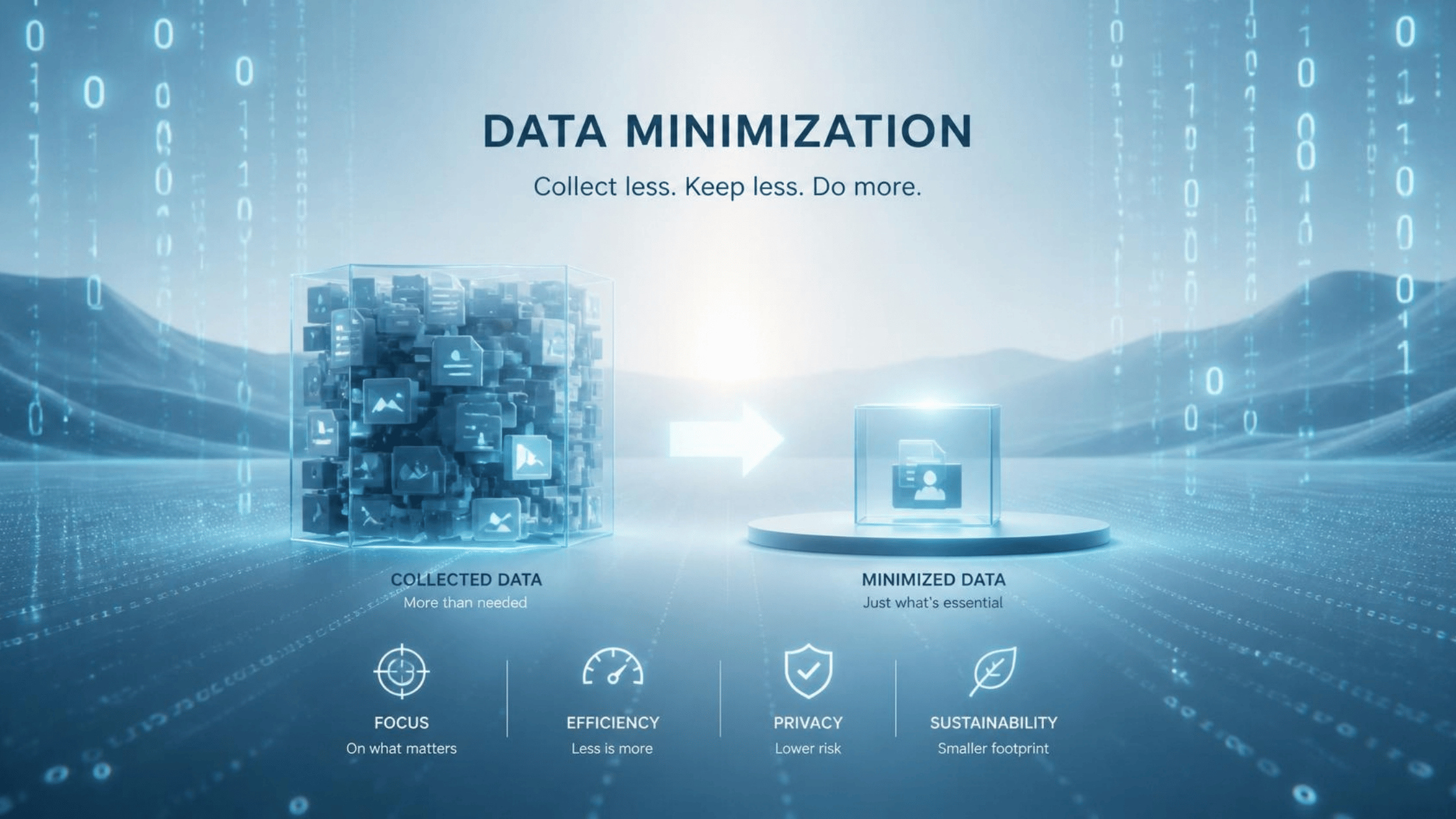
Does it surprise you that they weren’t taking those precautions already? It boils down to an important concept in cybersecurity and cyber-compliance: Data minimization.
What Is Data Minimization?
Data minimization means only collecting, accessing, and keeping the information you actually need.
Think about your own computer, for instance.
Do you have files from projects that ended three years ago? Old spreadsheets containing customer information? Downloads you forgot about? Duplicate copies of documents saved in different folders?
Every unnecessary copy creates another opportunity for that information to be exposed. That’s why sometimes, the safest sensitive information is the kind you no longer have!
Why It’s Dangerous to Keep Data “Just in Case”
Keeping old information feels safer than deleting it. After all, what if you really need it someday?
You absolutely have to retain certain records, after all. Laws, regulations, contracts, and company policies may require businesses to preserve particular information for specific periods of time. Still, that does not mean that you keep everything saved, forever.
Imagine if your company suffered a breach tomorrow. Attackers gain access to a folder containing current customer records, alongside records from customers who have not done business with the company in almost a decade. Now information belonging to both groups could end up exposed.
In this hypothetical, the company essentially increased the impact of the breach by keeping data it probably no longer needed.
This Applies to Employees, Too
You probably are not responsible for writing your company’s official data retention policy…but you still affect how much information the organization keeps.
For example, downloading a customer list to your desktop creates another copy. Emailing yourself a spreadsheet creates another version, too. Saving the same document in several folders creates even more versions of your sensitive information.
Those copies can cause even more problems if they exist outside the systems your company uses to manage its records.
For example, your company may automatically delete certain information from an approved system after the required retention period ends. That policy cannot necessarily delete the copy sitting in your Downloads folder or personal cloud account, though. Suddenly, information that was supposed to disappear still exists. Those copies rely on you to safeguard them too!
Don’t Start Deleting Everything
Data minimization does not mean you should open your computer and start deleting every old document you can find.
Deleting information too early can cause compliance problems, too.
Your organization may be legally required to preserve tax documents, financial records, employee information, communications, healthcare information, or other records for a specific period. Instead of blindly getting rid of old files, follow your company’s retention procedures.
Store information where you are supposed to store it. Avoid making unnecessary copies. Do not move company information into personal accounts or unapproved applications. If you find antiquated sensitive information, and do not know whether you still need it, simply ask before deleting or changing it.
Conclusion
The breach on Illuminate Education involved student information, but the lesson applies far beyond schools and isolated instances.
This case demonstrated the way that businesses collect enormous amounts of information about customers, employees, patients, vendors, and other people. Protecting that information does not only mean installing better cybersecurity tools, but also asking much simpler questions about old information: Do we still need this data at all?
Every piece of sensitive data an organization keeps becomes another piece of information it has to protect.
Follow your company’s retention policies, keep files in approved locations, and avoid creating unnecessary copies of sensitive data. Remember, you cannot expose information that you no longer have.